
In this guide
- Recent files, newest first
- Reopen any of them in one click
- Remove entries, or turn history off
Closed a file and can’t remember where it was saved? Wintavia’s history has it.
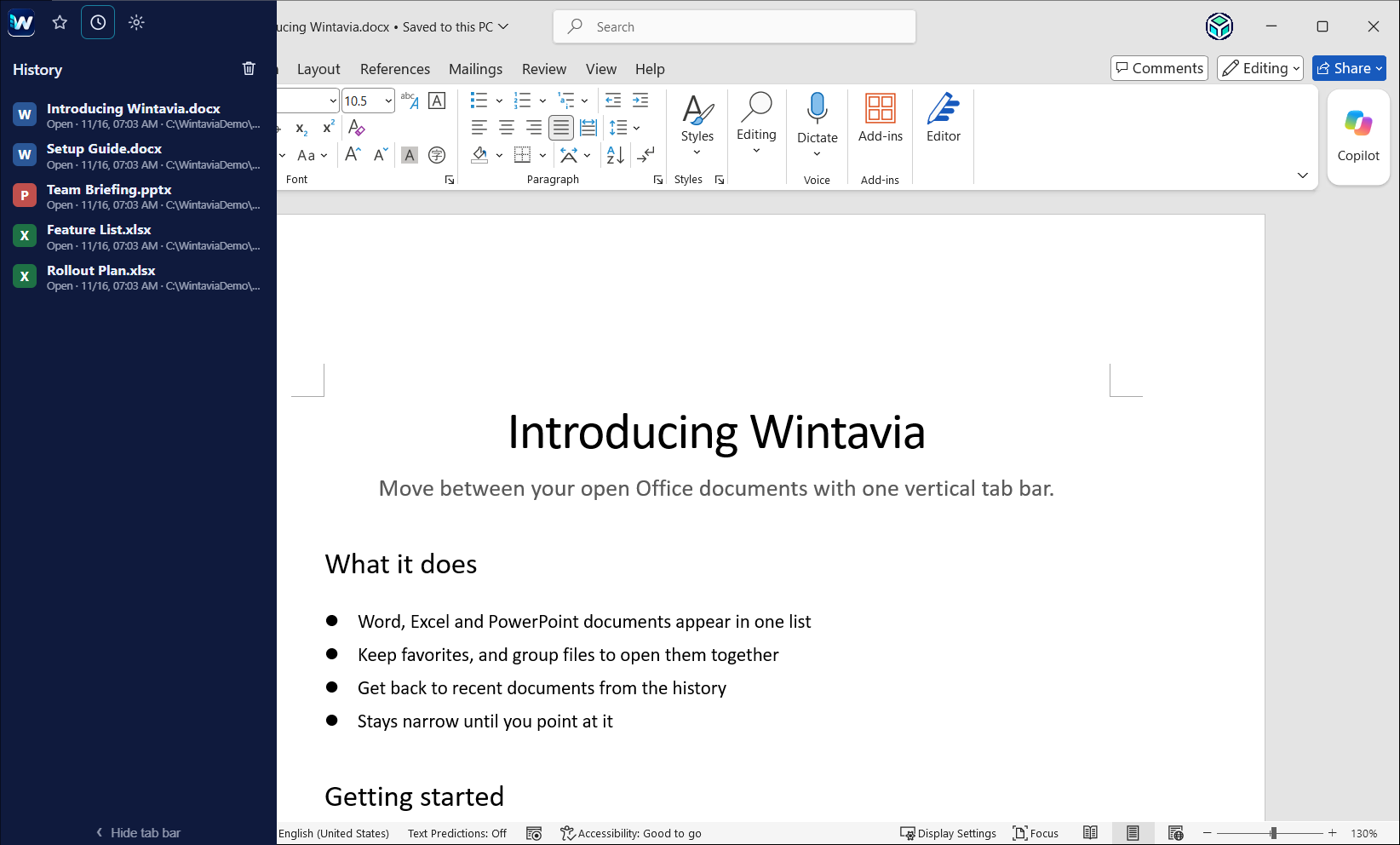
What you get
- Recent files, newest first. Click the clock icon at the top of the tab bar to see the Word, Excel and PowerPoint files you opened recently.
- One click to reopen. Click a file to open it — or switch to it if it’s already open. Click ☆ on a row to add it to your favorites.
- You stay in control. Remove a single entry with ✕, or clear the whole list with the “Clear history” icon (you’ll be asked to confirm). Only the history entries are removed, never the files.
Prefer no history?
Click the gear icon at the top of the tab bar (Settings), and under “Behavior”, clear “Keep a history of opened documents”. It’s on by default.
Try it on your PC
Wintavia is free and works with Windows 11 and desktop Microsoft Office.
Download it free